
Part one

01 · April 2025 — now
Catalyst — The exam interface I wish I'd had
It started with a problem I'd carried around for years. I had written JEE Main and JEE Advanced, and I knew the real learning happens after the paper: in the analysis of where the marks went. I wanted every CAT previous-year paper in the exact exam interface, with that analysis built in. I didn't have the knowledge or the resources. In April 2025 I started anyway.
I built it alongside my job, so it was slow. At first I wasn't sure I could build it at all. Day after day, month after month, the confidence came, and Catalyst became a faster, more useful and better-looking product.
Then I hit the real wall. The papers only existed as PDFs, and Catalyst needs them as structured data. I'm one person; copying thousands of questions by hand was never an option. And there was a second gap I hadn't planned for. Catalyst was meant to be a test-and-score platform, but a paper without solutions isn't enough.
So I built an internal pipeline. OCR reads each page. A language model cleans up what OCR gets wrong. I started with Gemini and moved to DeepSeek, which does the whole job better. Papers before 2021 were longer than today's exam, so DeepSeek picks the 68 most relevant questions out of roughly 100 to match the current pattern; papers from 2021 on already match it. Once the papers were in, I extended the same pipeline to write a solution for every question.
Paper PDF
A scanned CAT paper, as published.
OCR
Read every page into raw text.
Clean-up
Fix what OCR misread.
GeminiDeepSeekFit to today's pattern
Older papers: keep the 68 most relevant of ~100.
~100 → 68 · papers from 2021 already match
Solutions
A worked solution for every question.
Into Catalyst
Structured, ready to take as a mock.
Getting the papers right took two to three months of evenings and many rounds of iteration. It's the part of Catalyst I'm proudest of, because no one sees it. Today there are 40 official CAT papers from 1991 to 2025, each with solutions. Now the work is growth: I've shared it in every WhatsApp group I know, and I'm building its Instagram with short videos.
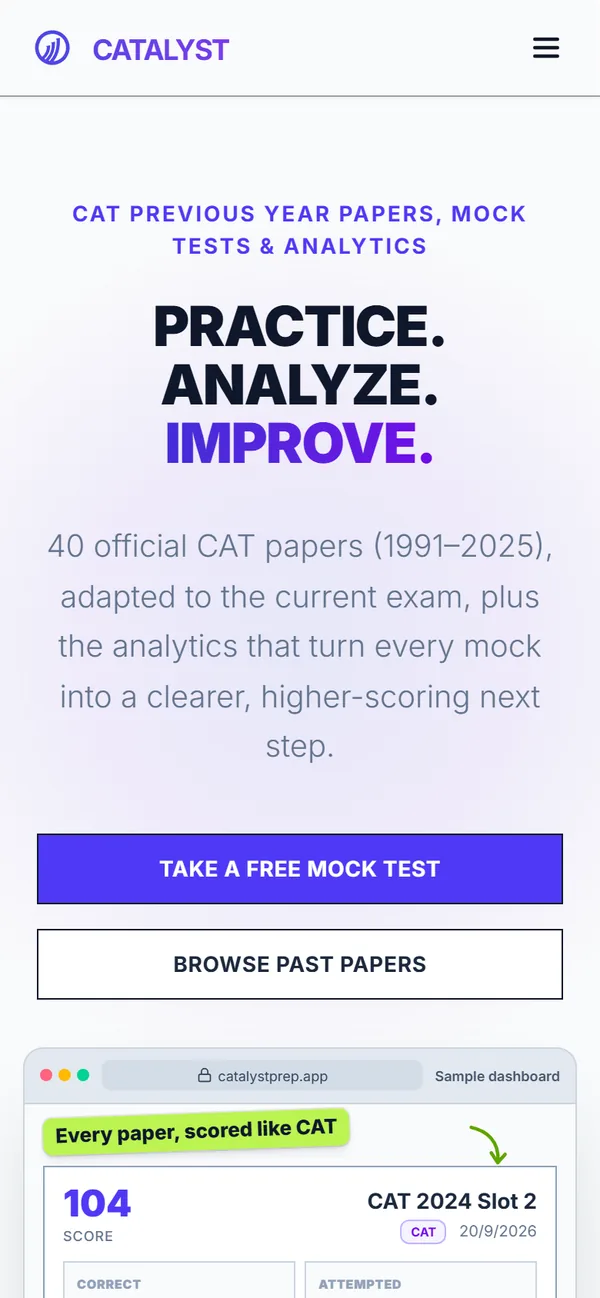
Practice. Analyze. Improve.
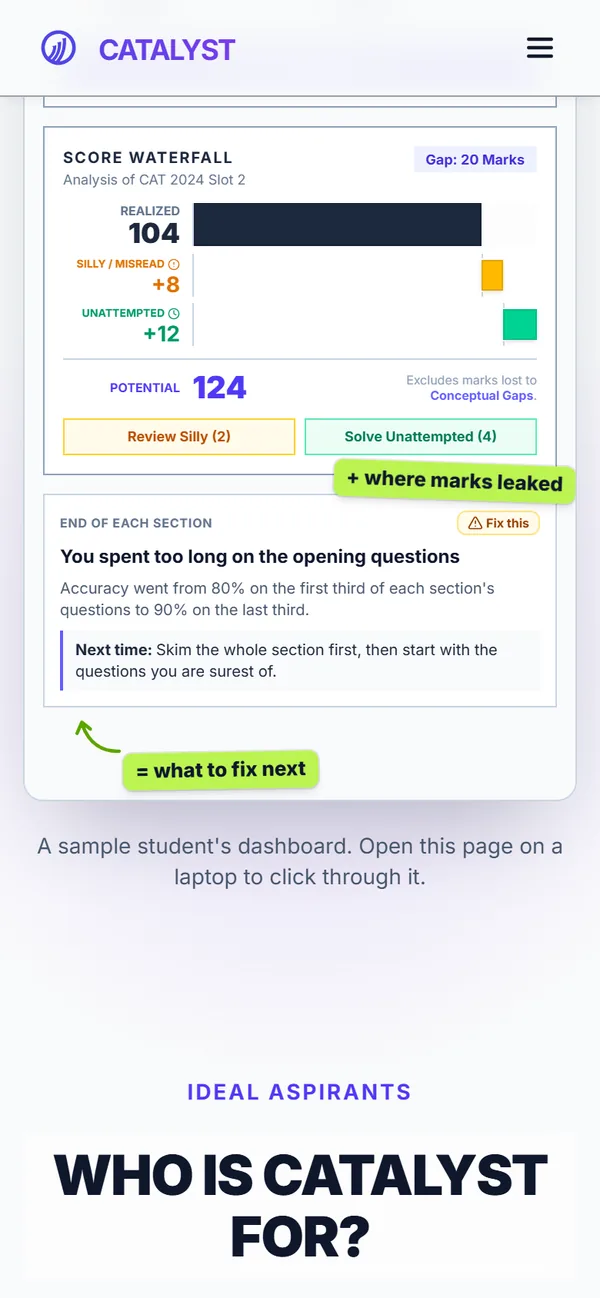
Where the missing 20 marks went
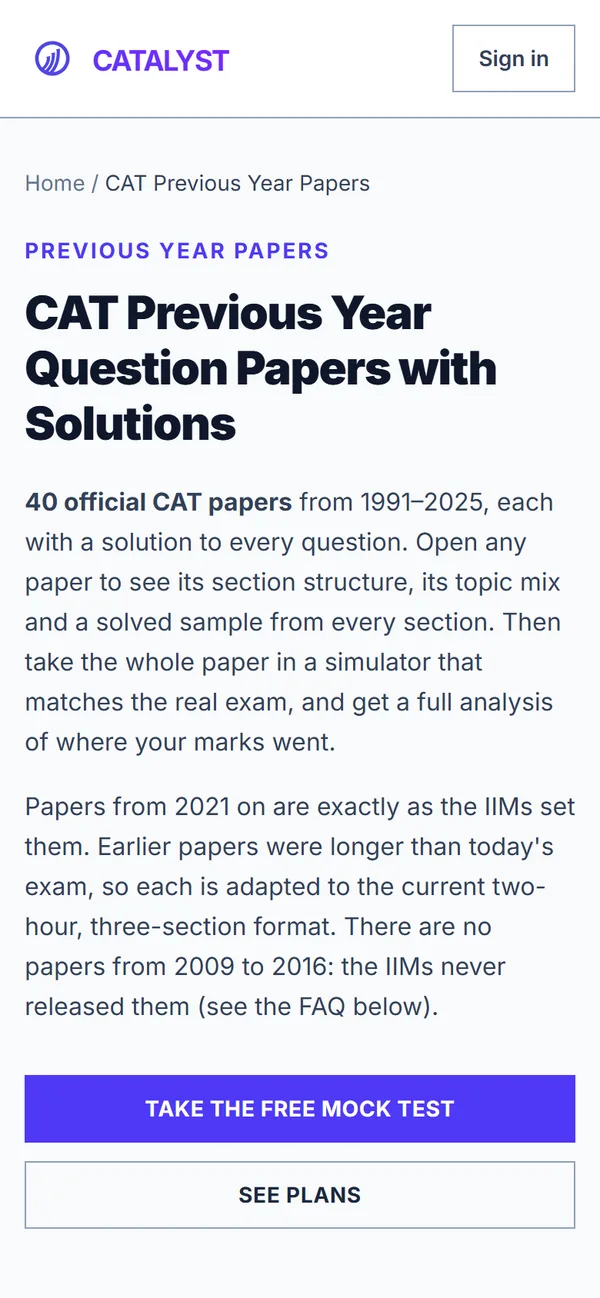
40 papers, each with solutions
Part two

02 · March 2026 — now
Nebula — An operations tool for a real agency
While I was building Catalyst, an opportunity came from family. My cousin brother — my jiju — runs Purple Mango Media, a marketing agency. They needed an internal tool to run the agency's day-to-day work, and he asked me to build it. That became Nebula.
Nebula now carries an entire influencer campaign from start to finish: finding creators, shortlisting them, getting the client's approval, running the campaign, paying creators and generating the final report.
 × Nebula
- 01Discovery
- 02Shortlisting
- 03Approval
- 04Execution
- 05Payments
- 06Reports
It's been a long build and it isn't finished. I talked with the people who use it every day, watched where it slowed them down, and improved it over many rounds of changes. Adoption was its own lesson: when people didn't use the tool fully, the gaps showed me how they actually work. Each round makes Nebula fit that work a little better.
A side note: I also built the agency's current website, purplemangomedia.in.
Part threefor my friends and me

03 · September 2026
squad. — A private board for Sunday check-ins
My friends and I decided to start working out, and to hold each other to it: every Sunday, everyone shares a progress photo. Those are personal photos, so a group chat didn't feel right. I built squad. — a private app where only our group sees the check-ins.
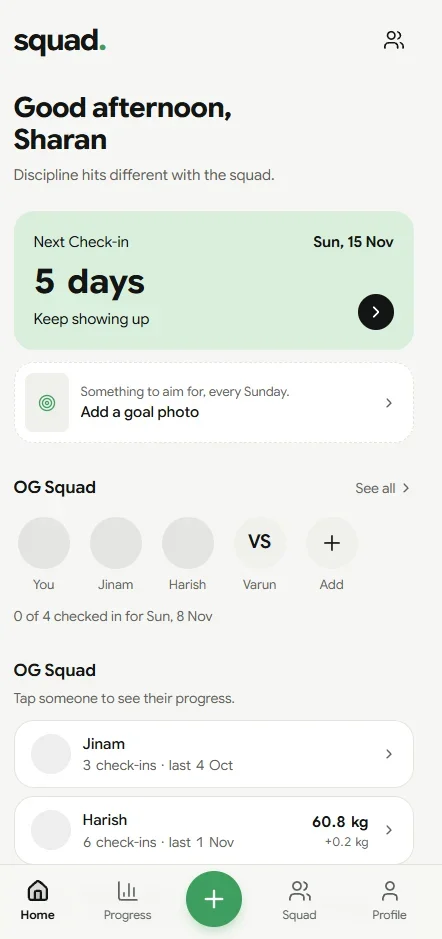
Home counts down to Sunday.
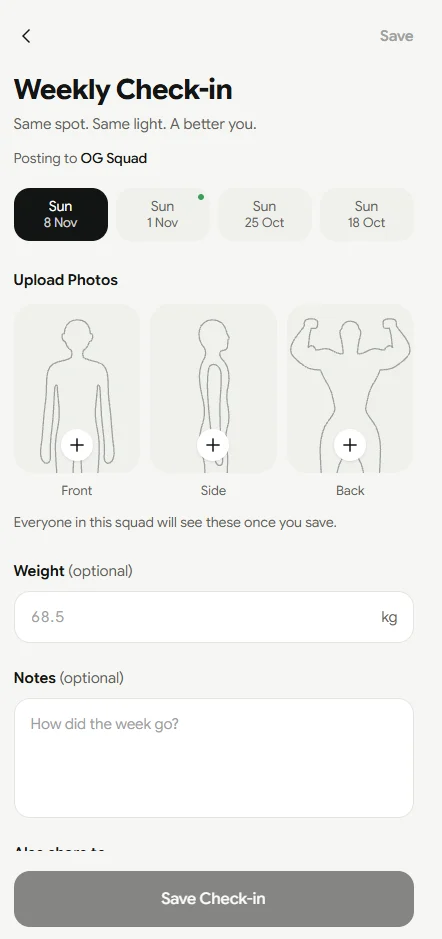
Front, side, back. Same spot, same light.
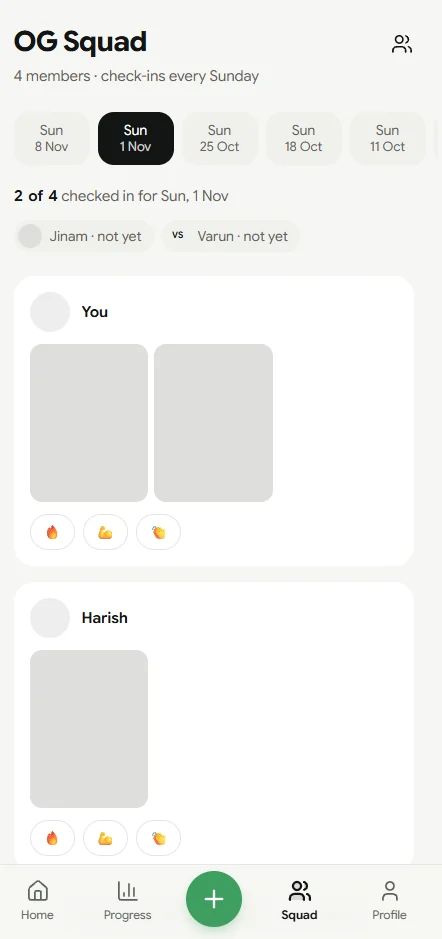
Each Sunday's board, with reactions.
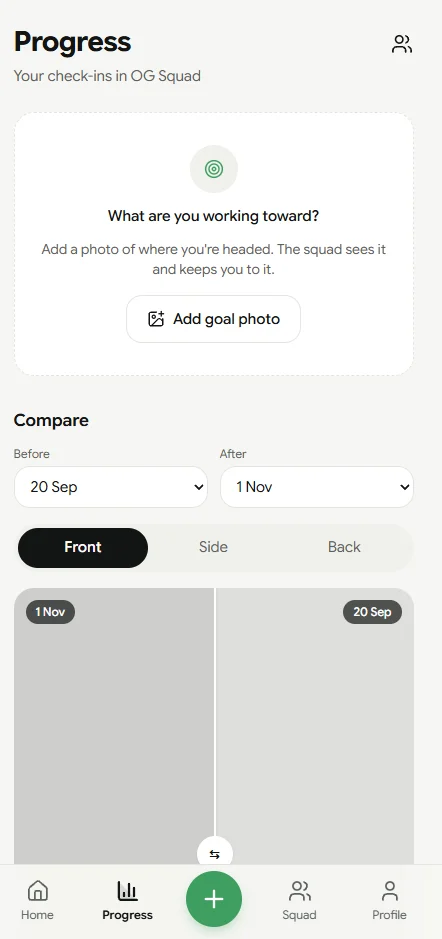
Compare any two Sundays.
The way in.

04 · October 2026
Amadora — A workout plan that's actually mine
Once we were training, I wanted a plan that was personal to me. Amadora builds each day's workout around the time I have, shows an animated figure to follow for every move, and asks how each set felt to decide tomorrow.
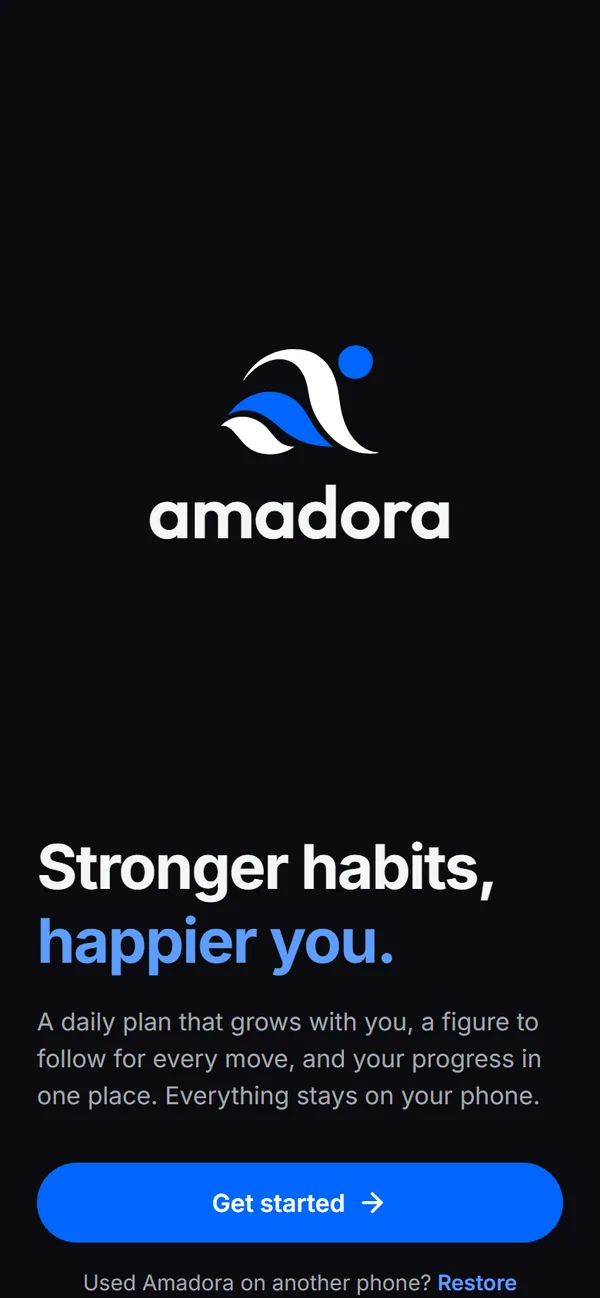
Stronger habits, happier you.
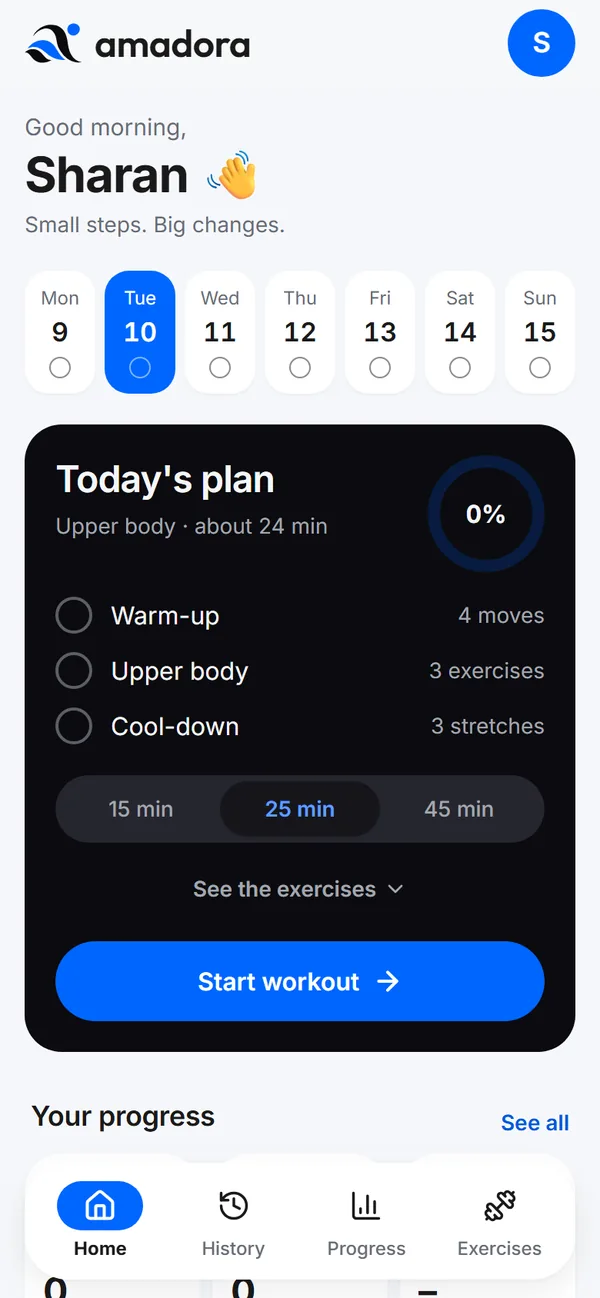
Today's plan, sized to my time
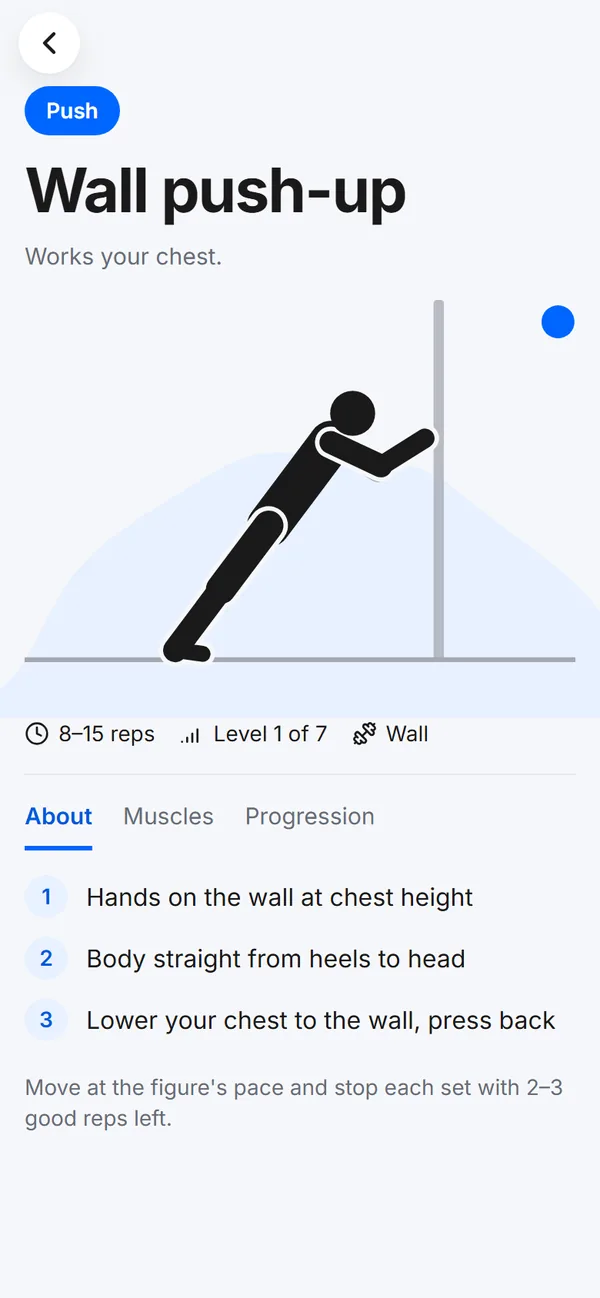
Every move, explained
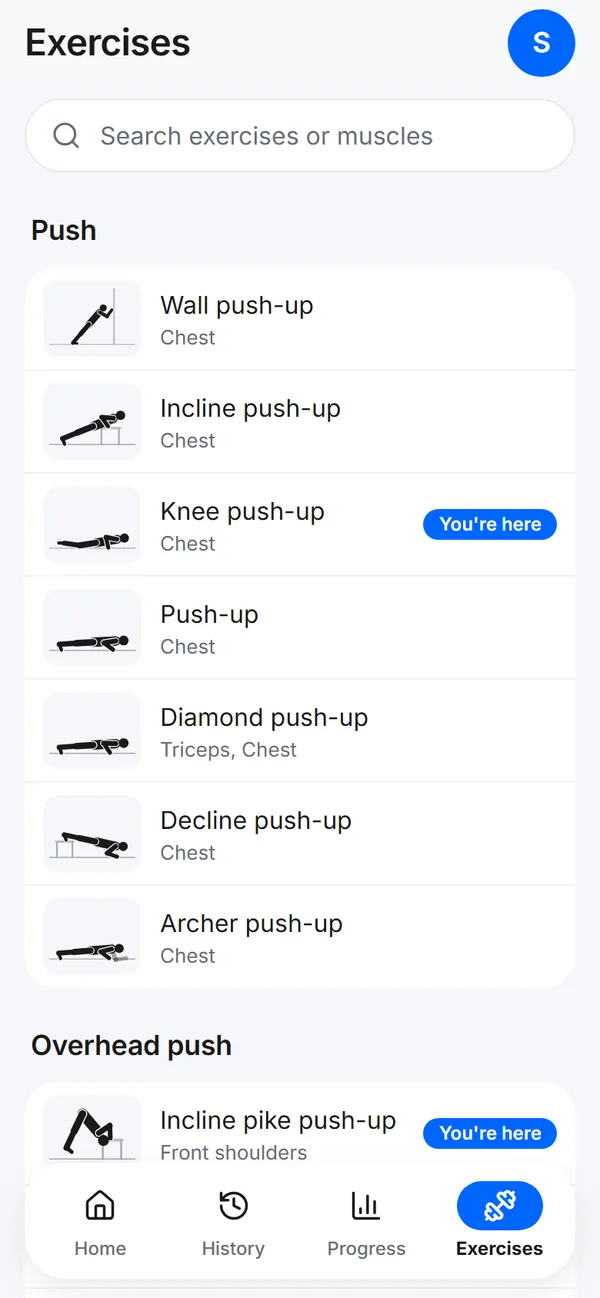
Progressions, level by level

05 · October 2026
Assess — Money, managed my way
For years I tracked money in an ad-supported expense app. It worked, but it didn't think about money the way I do. I wanted to see how much goes to needs, to wants and to investments. Now that I knew how to build, I built my own: Assess, an Android app shaped around my own philosophy.
My biggest fear was losing the history I'd logged since 2022. So Assess imports it: every old record came across, and the insights now run on years of my own data.
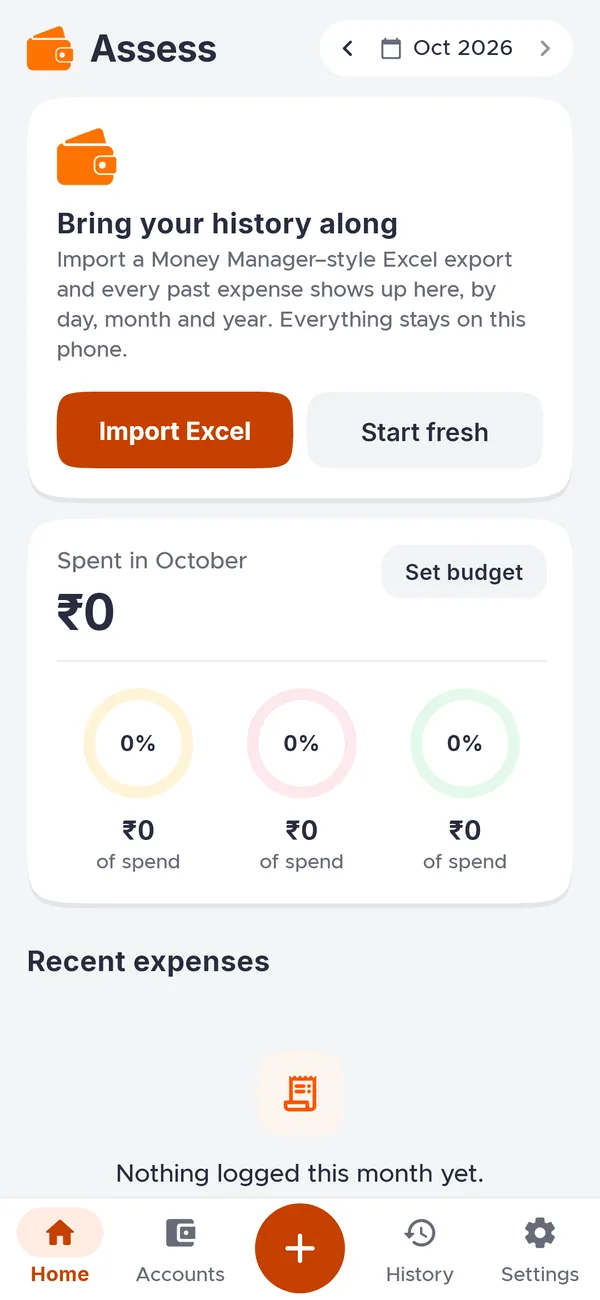
Bring your history along
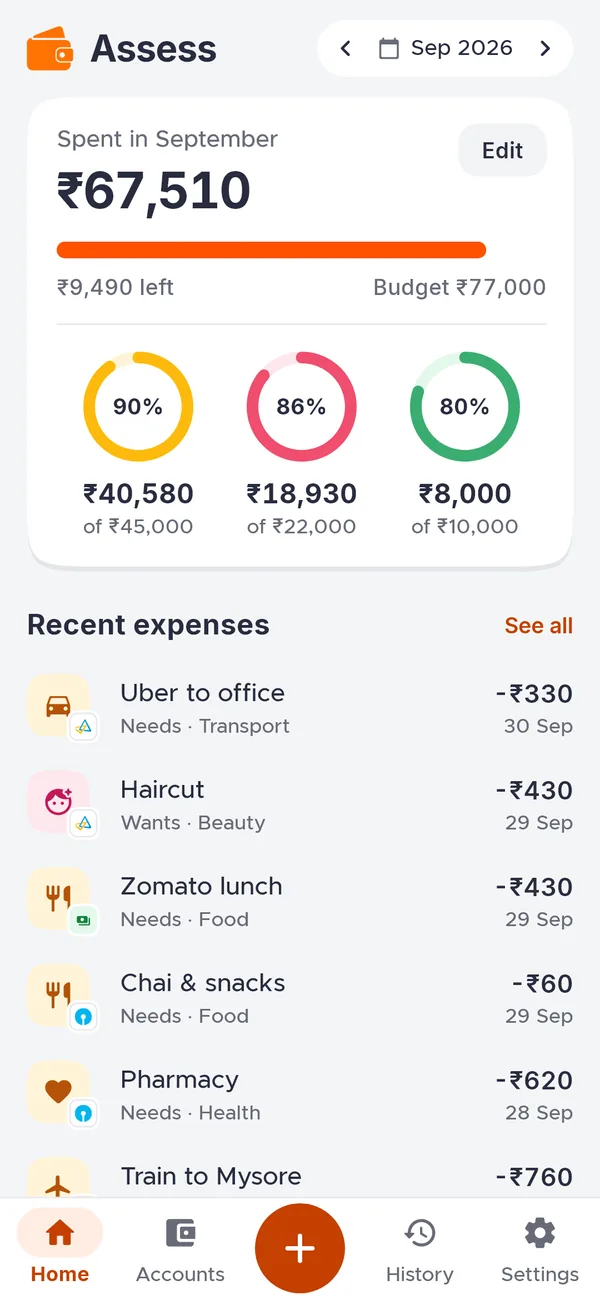
Needs, wants, investments
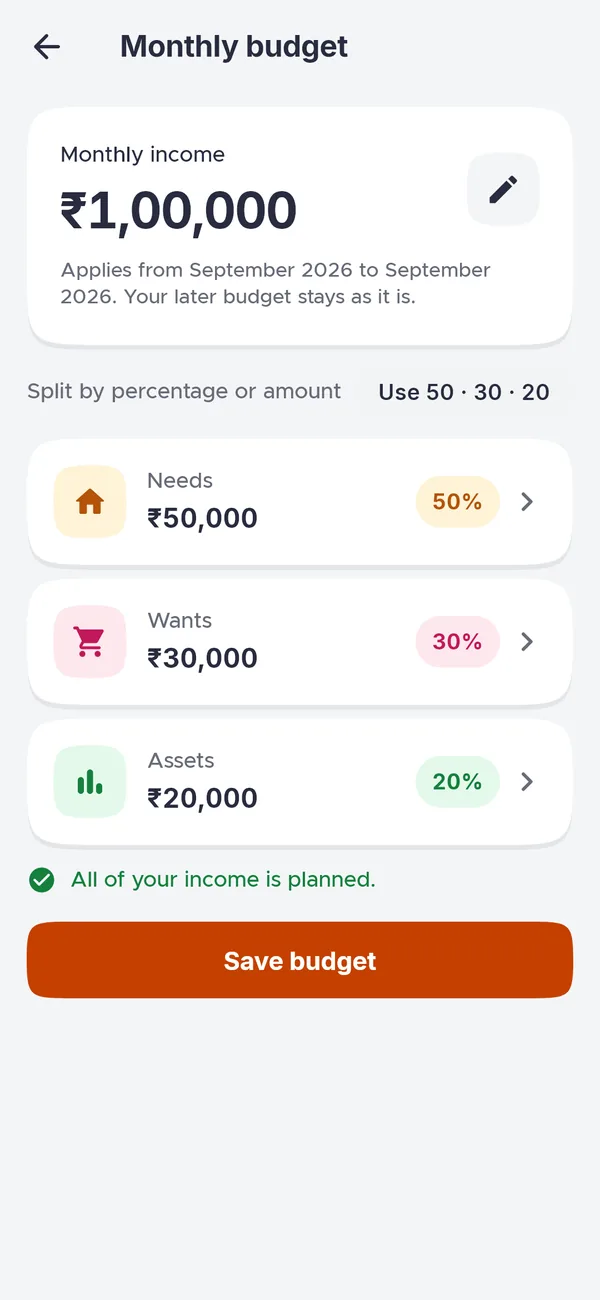
A budget split my way
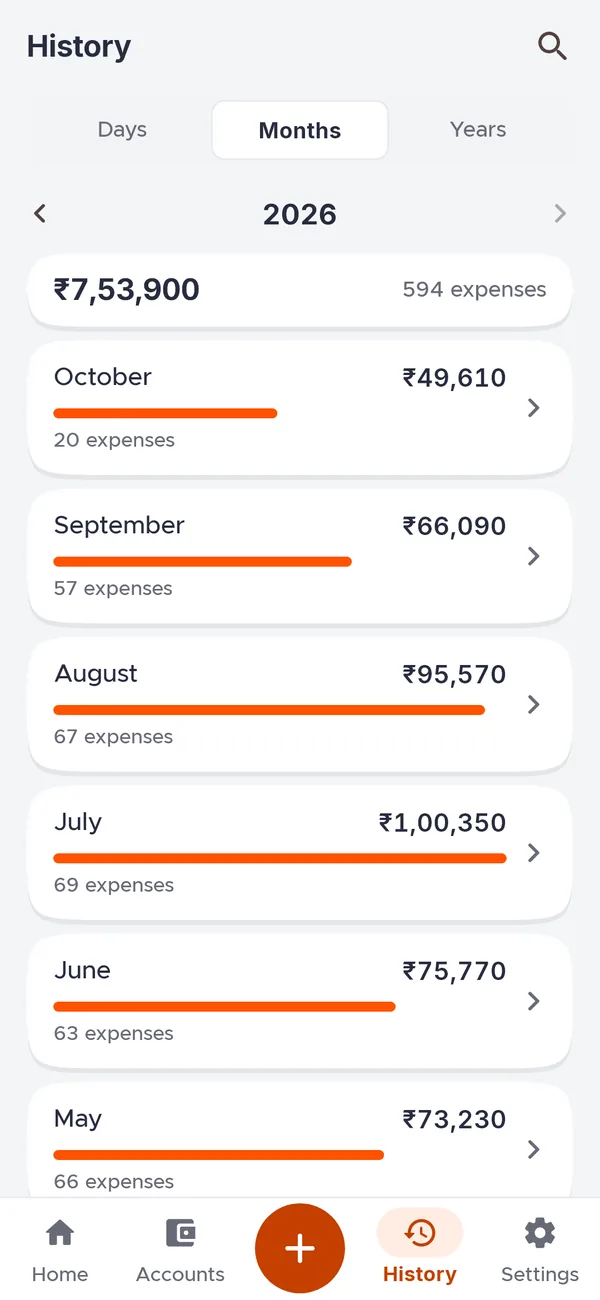
History by day, month and year
Most of my payments go through Google Pay, so I recently added the shortcut I wanted most. On any payment, tap Share screenshot and pick Assess. The amount, date and payee are filled in for me; I adjust the category or note if needed and save.
Google Pay
₹450
Paid · Completed
Share screenshotAdd expense · Assess
- Amount
- ₹450
- Date
- Today
- Paid to
- Payee from the screenshot
- Category · note
- Mine to add, then Save

06 · October 2026
Aceious — My laptop's terminal, on my phone
I build with Claude Code, and I wanted to keep going away from my desk. Aceious opens a real terminal on my laptop from my phone: pick a project, start Claude, and hand the session to the Claude app on my phone through Remote Control. It also holds the notes I jot down for each project, ready to share with Claude.
To make it private, I used Tailscale to put my laptop and phone on their own network. It works like a personal VPN, so nothing is exposed to the internet.
- My phone
- Tailscaleprivate network
- My laptop
- Terminalclaude
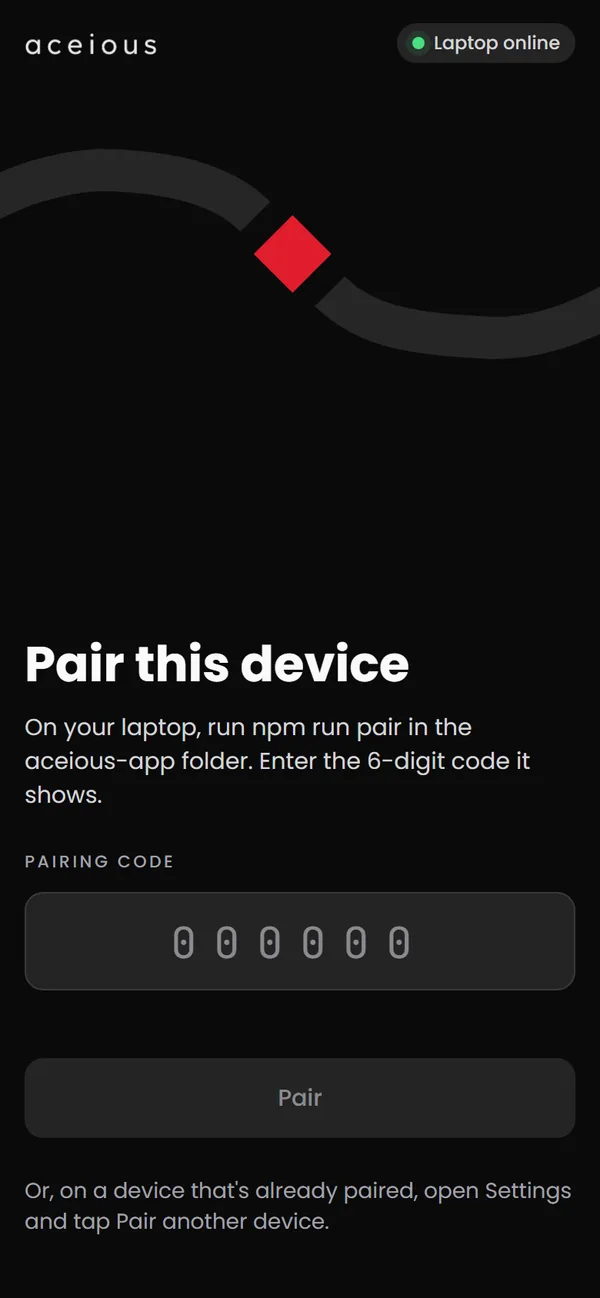
Pair a phone once
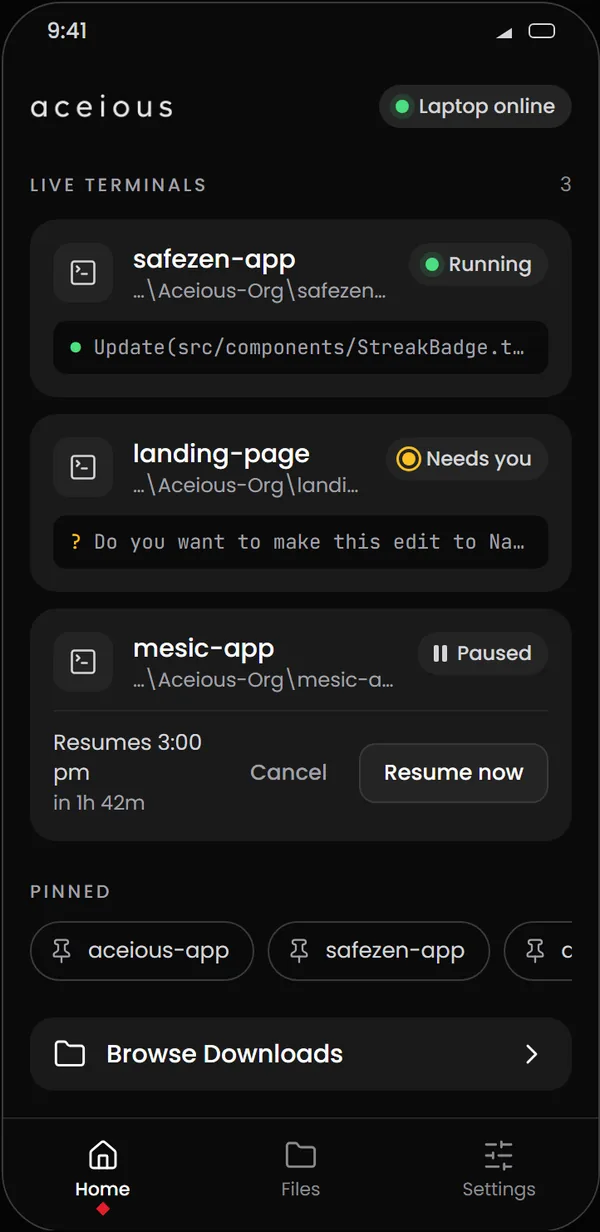
Every terminal at a glance
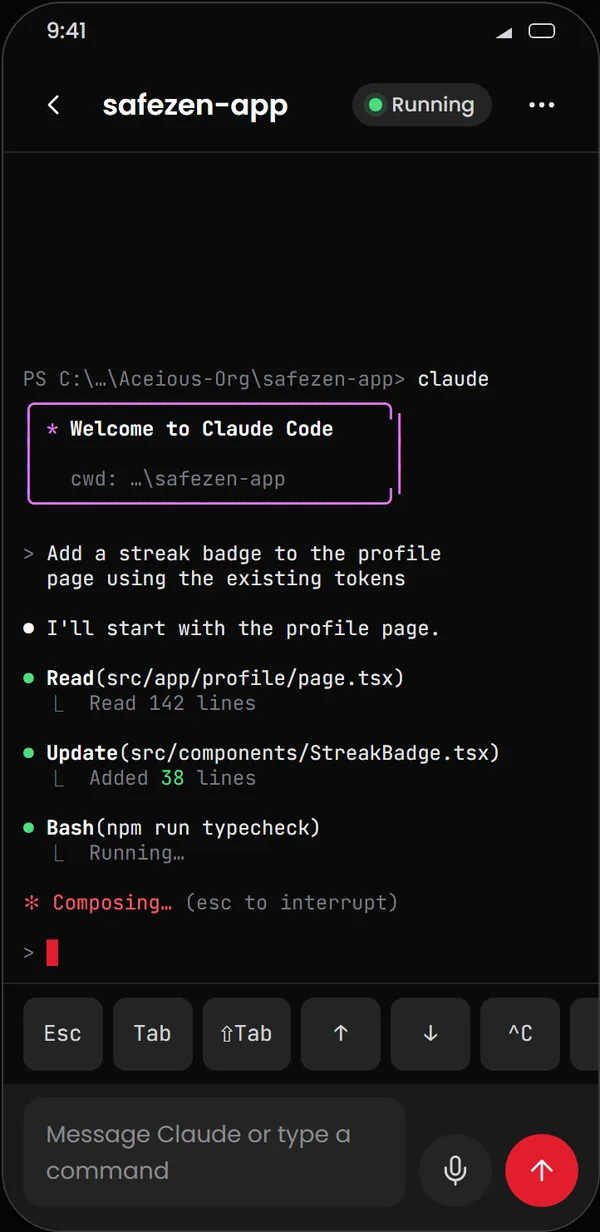
Claude, from my phone
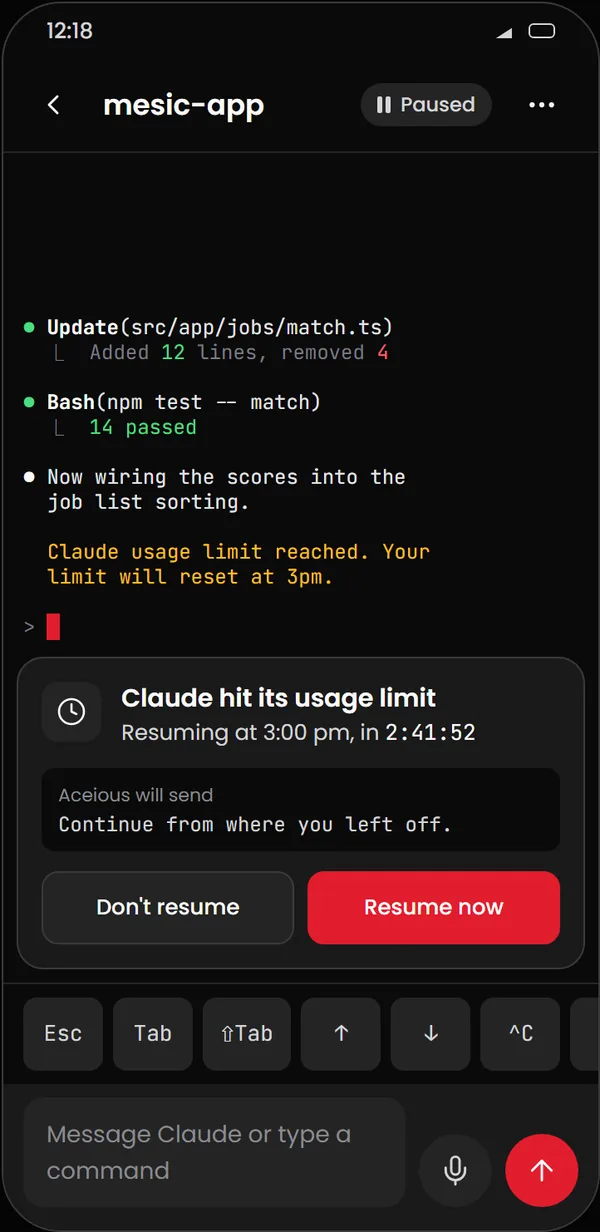
Paused, then resumed for me

07 · November 2026
Ryuo — A period tracker without the paywall
Someone close to me relied on a popular period tracker that came with ads and a premium paywall. Instead of depending on it, I built Ryuo. It predicts from your own dates, explains the research behind every number, keeps everything on the phone, and can import data from the old app.
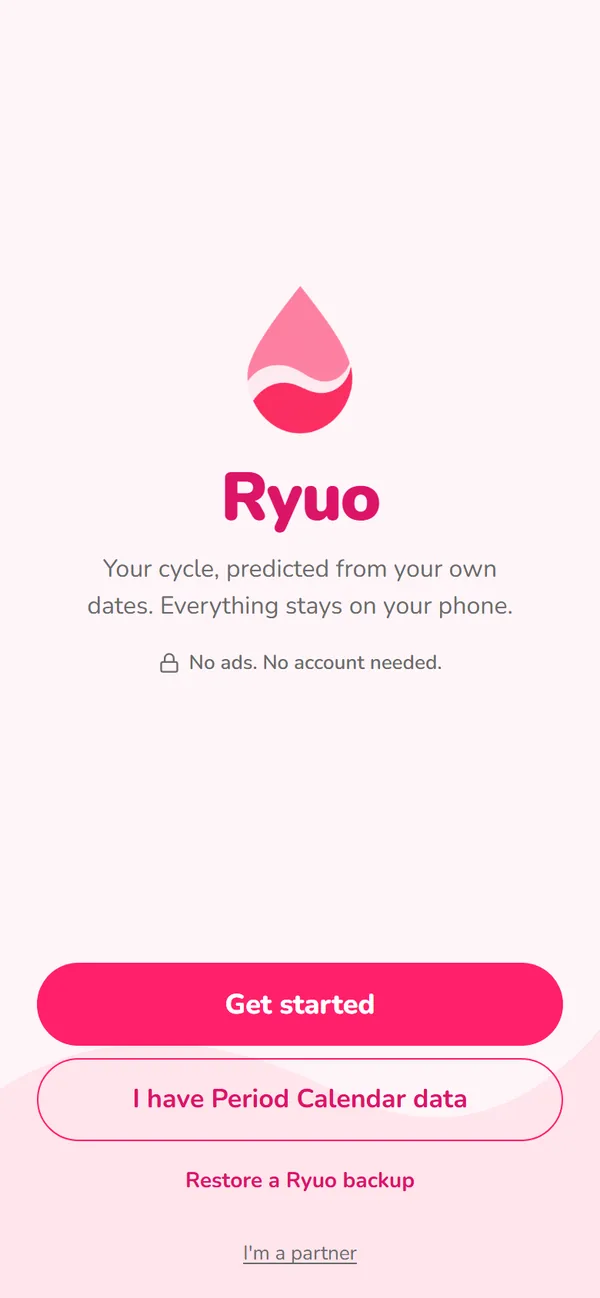
No ads. No account needed.
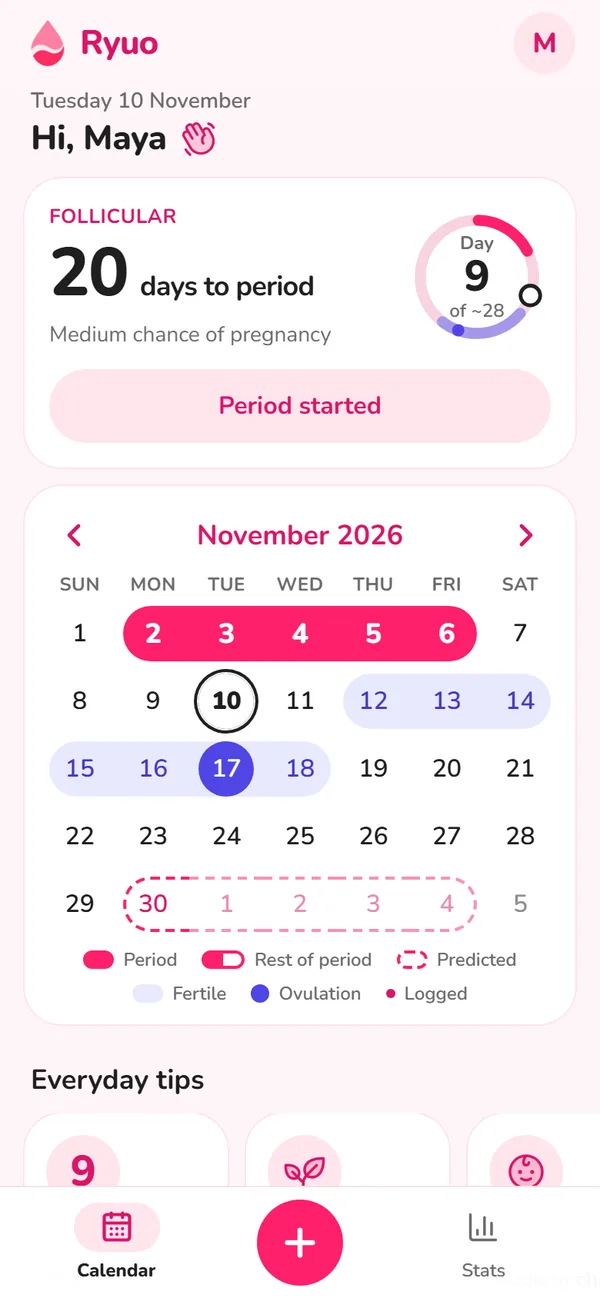
Predicted from your own dates
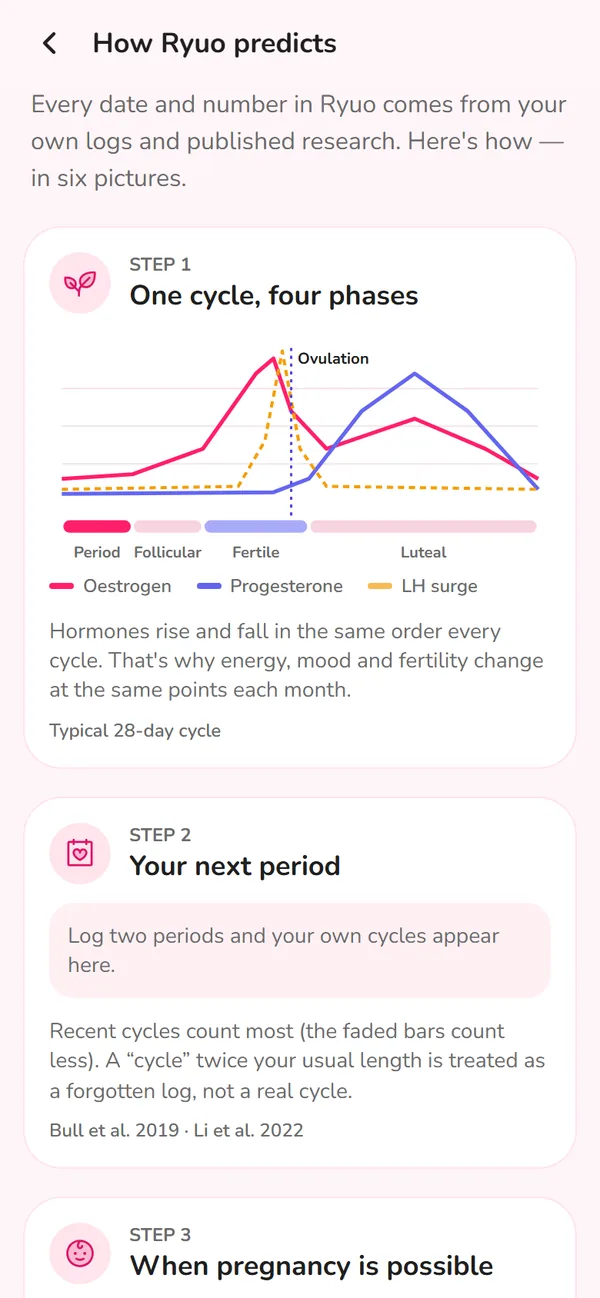
The research behind each number
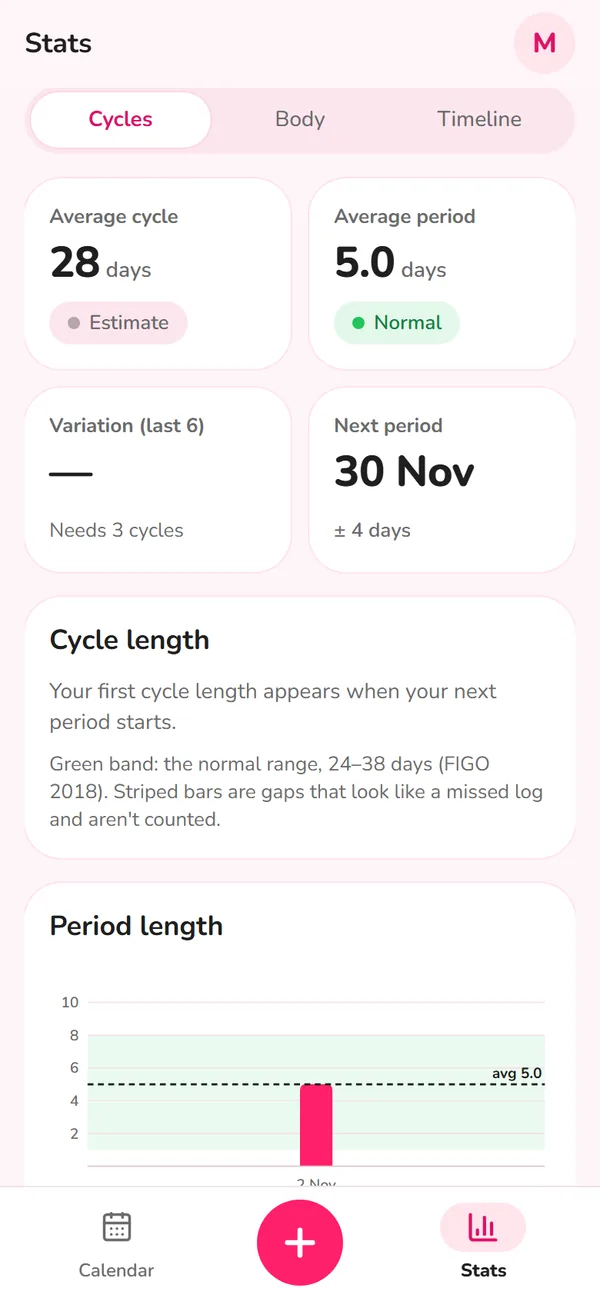
Stats that grow with each cycle
And that's where it is today.
I like to tinker. I build things that don't exist yet — or, when they do, the version I wish existed. Each one started with a real problem, mine or someone's close to me. If you have one like that, I'd like to hear it.
Tell me about it